
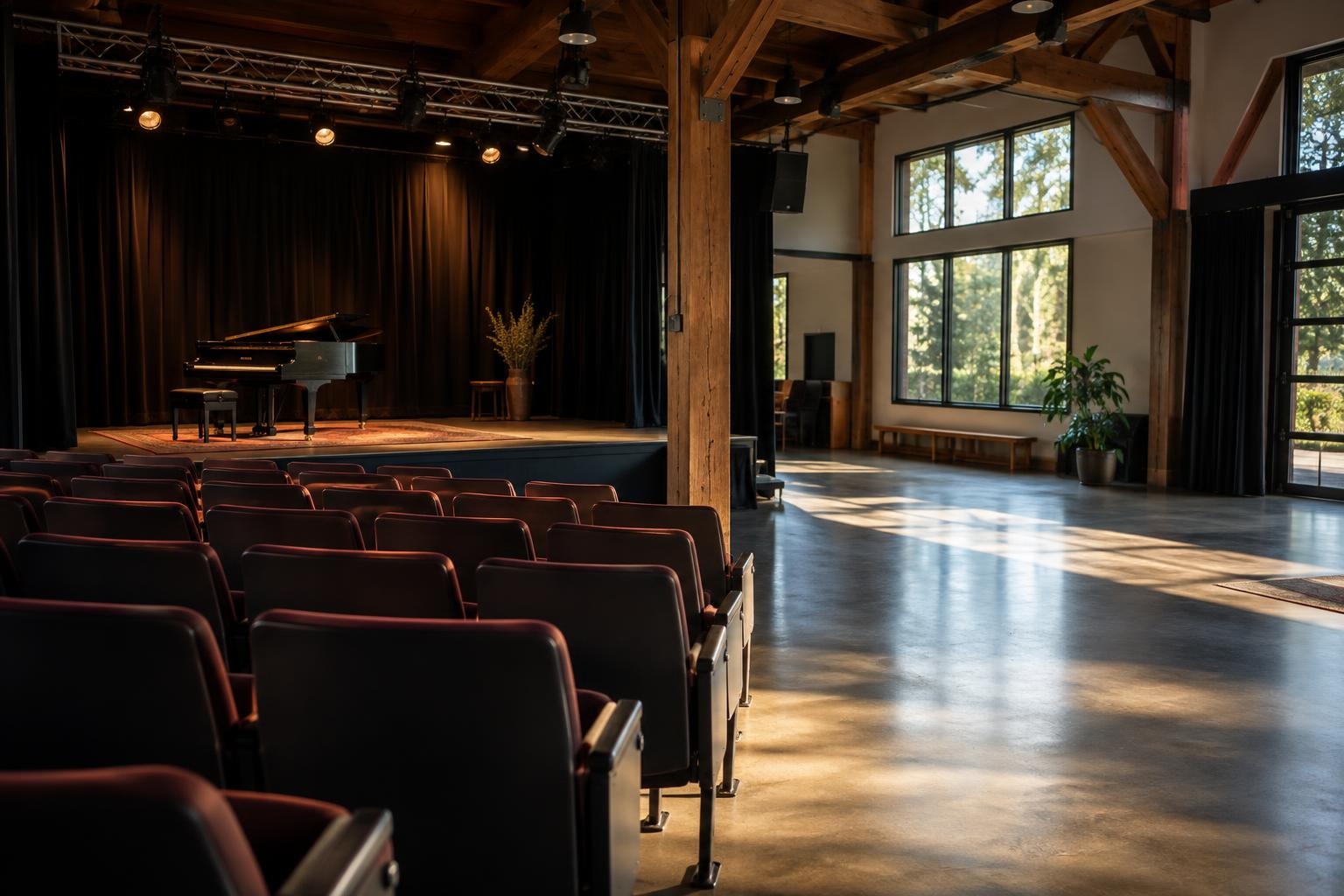
Choosing between reserved seating and general admission affects the event page, the audience’s arrival, the box office and the staff at the door. Reserved seating lets a buyer select a specific seat from a map. General admission sells entry without assigning a particular seat or place in the room. Each can work well, but the right choice depends on the venue, how the audience uses the space and the team’s ability to manage entry. Start with the room and the audience, not with a feature list.
Understand how people will use the room
Walk through the venue as an attendee. Where does the line form? Which entrances are open? Are seats fixed, removable or arranged differently for each event? Is there a clear view from every seat, or do some locations have a different experience? Ask the venue manager which seats may be unavailable because of equipment, sightlines, production needs or access requirements. A seating plan should reflect the actual setup for the specific performance, not a generic room diagram.
Consider the audience’s reason for attending. A formal concert, dance recital or theater production often benefits when families can sit together and know where they will go. A standing reception, festival, class showcase or casual community event may be easier to run with general admission. Neither format guarantees a better atmosphere. Think about whether people will arrive at a particular time, move during the program or need a place reserved for a group.
When reserved seating helps
Reserved seating can reduce uncertainty for buyers who want nearby seats or have a preferred area. A seat map makes the choice visible at purchase time, and Ticket Place supports reserved seating with a map that lets buyers select seats. It is still the organizer’s responsibility to check that the map matches the room and that the event’s accessible-seating arrangements have been coordinated with the venue. Confirm the layout, blocked seats and any production holds before opening sales.
Specific seats require more setup and more careful change control. Assign someone to maintain the map if the room changes, explain what happens if a seat becomes unavailable, and give ushers the current layout. Do not promise a view or a physical accommodation that the venue has not confirmed. If a production change means a buyer’s seat must move, contact the buyer with a clear explanation and a reasonable next step.
When general admission is simpler
General admission can suit a room whose layout changes, a performance where people may stand or move, or an event with no meaningful difference between locations. It avoids the work of creating and maintaining a seat map. The organizer must still set a capacity, coordinate safe entry with the venue and explain whether attendees may arrive at any time or should queue before doors open. “General admission” does not mean the room has unlimited capacity or that every area is available.
Plan how groups will sit together if that matters. Tell attendees whether seats are first-come, first-served, whether a portion of the room is reserved, and when doors open. If the venue has a choice of floor and balcony areas, describe those rules accurately. A short arrival note can prevent guests from assuming that a ticket guarantees a particular row or that one family member can hold a large section for late arrivals.
Match the sales process to the staffing plan
Reserved seating moves some decisions to checkout, but it adds work before sales open and whenever the room changes. General admission reduces map maintenance but may require stronger arrival and queue management. Ask who will monitor sales, answer seating questions, check tickets and coordinate with the venue. If volunteers rotate, write down the procedure instead of relying on a single person’s memory. The Ticket Place feature overview describes its seating and organizer tools; use it to confirm current capabilities before planning a workflow.
In either setup, decide how to handle a buyer who purchased the wrong date, a group that wants adjacent places or an attendee who needs help at the door. Tell staff who may approve an exception. Keep a record of the final plan, but avoid exposing attendee information to people who do not need it. Check that each team member can reach the event’s scanner or attendee list before doors open.
Make the event page do useful work
Use the event description to explain what a ticket includes, when doors open, where the venue is and how seating works. For reserved seating, note whether buyers select seats during checkout and what happens when a section is sold out. For general admission, state whether seating is unassigned and whether the venue has both standing and seated areas. If the schedule has several dates, make sure the buyer selects the correct one. Link the page from the organizer’s own channels and verify that the link opens the intended event.
Before publication, preview the event page on a phone and a desktop screen. Check that the map or admission description is easy to understand, that the ticket categories are named plainly and that no outdated seating diagram remains. Ticket Place event pages include structured event information for search engines, but the platform cannot make a confusing description clear on your behalf. Review the visible details as a first-time guest would.
Use this decision checklist
- Choose reserved seating when exact seat choice helps the audience and the venue map is confirmed.
- Choose general admission when the room is flexible and unassigned entry fits the event.
- Coordinate accessible seating, capacity and blocked areas directly with the venue.
- Assign staff for the map, check-in, questions and last-minute changes.
- Explain the seating and arrival rules on the event page before tickets go live.
Test the setup before opening sales
Walk through the buyer’s choices
Have a person who did not build the event page try to choose a ticket. In a reserved layout, confirm that seat labels match the venue map and that a buyer can understand the difference between sections. In general admission, check whether the page says where guests may sit or stand and whether any area is held for performers, staff or accessibility needs. A clear test catches small wording problems before they become a queue at the door.
Ask the venue to identify seats or areas that should not be sold, including spaces reserved for equipment or safe movement. Marking every seat as available can make a chart look complete while creating a practical problem on event day. If the layout changes after sales begin, decide who will contact affected buyers and what alternatives the venue can support. Do not promise a substitute seat until the organizer has confirmed the location and explained the change.
Assign a named person to update the event page when the seating policy changes. Give the box-office team a brief explanation of the format so staff use the same terms in replies. Keep a copy of the approved map and note who provided it. The venue should remain the source for room capacity and physical access details; the event listing can communicate those details but cannot verify the room on its own.
There is no need to make the format more complicated than the event requires. Review upcoming options on the Ticket Place events page, confirm your room with the venue and choose the setup your team can explain and support.